

POS pricing includes upfront, ongoing, and variable costs that change based on setup, usage, and contract terms. Understanding how fees are structured helps restaurants compare systems, manage expenses, and avoid unexpected costs over time.
Cost is one of the first questions operators ask when evaluating a point of sale system (POS). Restaurant POS system costs can look straightforward at first, but pricing often includes ongoing variables that aren’t obvious upfront.
Restaurants aren’t just comparing features. They’re weighing how each system affects margins over time, from processing rates to support and add-ons. The goal isn’t the lowest monthly number. It’s understanding the full cost once the system is in place and running.
If you’re comparing options, it helps to look at how different restaurant POS systems are structured and supported in actual environments, not just what’s shown in a proposal.
There isn’t a single number that applies to every restaurant. In general, restaurant POS system costs can range from $0 to several thousand dollars per month, depending on how the system is structured and what’s included.
Upfront costs usually come from hardware—terminals, handhelds, printers. After that, the monthly number starts to move depending on how many terminals you’re running, how many locations you have, and what you’ve added on, like online ordering or loyalty.
Payment processing tends to account for the largest share of ongoing spend. A small difference in rates may not look like much at first, but it adds up quickly once volume increases.
The structure of the restaurant also affects costs. A smaller operation with a simple setup won’t need the same level of configuration as a full-service or multi-location restaurant, where added features, integrations, and reporting start to factor in.
A restaurant POS system includes both upfront and ongoing costs, and they’re not all structured the same way. Some stay fixed, while others increase as volume grows or as you add locations.
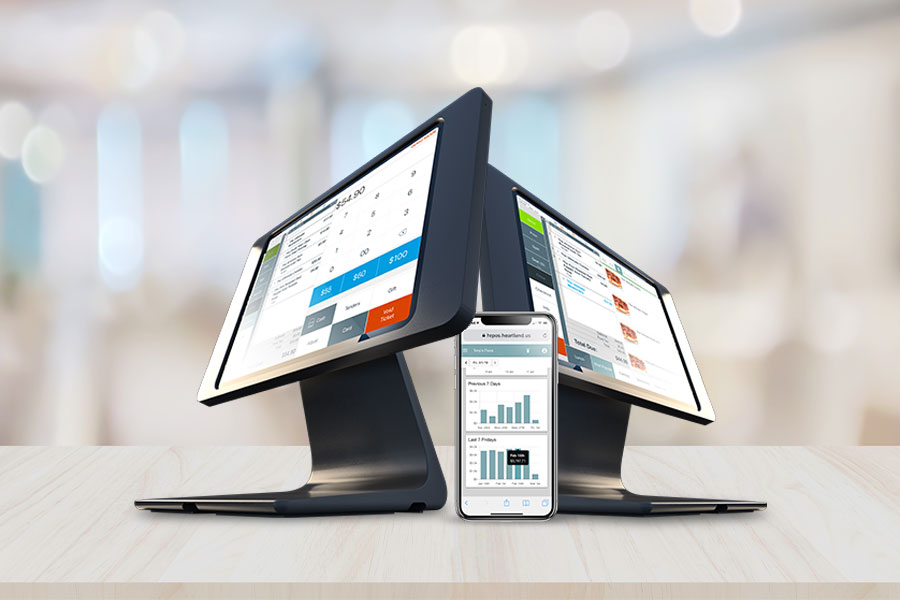
Looking at each part separately makes it easier to compare vendors without missing key differences. Whether you’re evaluating a system built from separate components or an all-in-one system like our Genius POS, the total investment usually comes down to three main categories.
Point of sale software cost is usually a recurring fee. What you pay depends on how the system is set up. Some restaurants are charged per terminal. Others per location. In some cases, everything is bundled into one rate, which changes how the restaurant POS system cost is structured.
Hardware is usually where the upfront cost hits first. Terminals, handhelds, printers—it adds up fast depending on how many you need. The setup of restaurant POS hardware isn’t always handled the same way. Some restaurants buy everything. Others roll it into a program or bundle it in.
Payment processing fees aren’t always presented in a way that’s easy to compare. The rate you see upfront doesn’t always reflect what you actually pay once everything is applied.
Two restaurants can run the same system and still see very different costs. It comes down to how the operation is set up and what the system needs to support day to day, which directly affects the overall restaurant POS system cost.
Operational complexity changes the numbers. The more moving parts you have, the more the system has to handle. Integrations, reporting needs, and terminal count all affect how pricing is structured.
There’s also the long-term impact to consider. System limitations, downtime, or workarounds don’t always show up in pricing, but they affect cost in other ways.
Not all costs are clearly shown in the initial proposal. Some fees are included in processing agreements or contract terms, where hidden POS fees tend to surface.
It’s often small charges—per transaction fees, monthly minimums, service fees—that don’t stand out right away. On their own, they don’t look significant. Over time, they shift the total more than expected.
Looking at the full pricing structure, not just the headline rate, helps you catch where those extra costs come from and how they’re applied.
The rate you see upfront doesn’t always reflect what gets charged. With payment processing fees, the structure behind the pricing can change how costs show up once transactions are processed.
Some fees are tied to requirements for accepting card payments. PCI compliance is one of them. The PCI Security Standards Council outlines how payment data should be handled and what businesses need to do to stay compliant.
This is where pricing starts to stack as you add more to the system. With restaurant POS system costs, more terminals, more users, or added features can quickly change the cost.
Contracts can add costs depending on how they’re set up. Some renew automatically. Others include fees if you try to cancel early. Support can also vary—response times, availability, and what’s actually covered aren’t always the same. After-hours help may not be included, and support during service can be limited. System updates can also come with added charges.
A proposal should show how the pricing is built, not just the final number. You should be able to see where the restaurant POS system costs come from and how they’re applied. Software fees shouldn’t be bundled into one line if they include different features or tiers. Hardware should be listed clearly, along with how it’s being paid for.
Details should be separated in a way that shows what stays fixed and what can change. It should also be clear which costs are tied to usage, contract terms, or added services. When everything is laid out this way, comparing options becomes more straightforward and less guesswork.
Every restaurant runs differently, so the right system comes down to how it supports your operation day to day. Pricing is part of that, but so is how the system performs once it’s in place and how it affects your overall restaurant POS system cost.
A restaurant point of sale system should handle orders, payments, and reporting without adding extra steps or workarounds. When everything is set up correctly from the start, it’s easier to manage costs and maintain consistent operations.
Working with a provider that understands how restaurants operate makes that process more straightforward.